

7 Fast Logo Maker Workflows to Get a Logo Today
Learn 7 quick workflows to create a logo today using the Time-to-First-Option framework. Quicklogo offers the fastest path with AI-driven options.
Quicklogo Team
7 Fast Logo Maker Workflows to Get a Logo Today
When you're racing against the clock to launch that new website, app, or business, the last thing you need is a creative roadblock. Enter the "fast logo maker"—your secret weapon in a world where time-to-first-option (TTFO) often determines success. If you need a logo today, your job isn't to design—it’s to minimize time-to-first-option. In this post, we’ll unpack the TTFO framework, a simple method to help you evaluate and choose from seven distinct workflows tailored to urgency levels of 30 seconds, 10 minutes, and same day. Our hero? Quicklogo, designed to churn out multiple logo options in mere seconds before moving on to customization. Whether launching at full speed or when time allows for more refinement, you'll find a workflow tailored to meet your business needs just in time.
Introduction: The Urgency of Fast Logo Creation
Picture this: you're gearing up for a big product launch or an urgent campaign, and you suddenly realize—no logo. Panic sets in, but here's the essential insight: when it comes to logo creation, your job isn't to design—it's to minimize your Time-to-First-Option (TTFO). This concept of TTFO is all about getting viable logo options in front of you as quickly as possible, allowing for faster decision-making and quicker iteration.
In the fast-paced world of startups and digital marketing, founders often find themselves racing against the clock. You might need a logo for a new app, a Shopify store, or even a pitch deck where appearances matter. Here’s where a fast logo maker becomes indispensable. Why? Because it shifts your workflow focus from exhaustive design processes to swift option generation. With tools like Quicklogo, which rapidly creates multiple professional logo options, you can jump from zero to shortlisted logos within seconds.
Having multiple choices right away empowers you to bypass the paralysis caused by endless design deliberations. Instead, it fosters a process where initial visual ideas can be quickly evaluated and refined. This approach not only reduces stress but also aligns team stakeholders efficiently. Plus, with market data indicating that AI-powered logo generators have cut turnaround times by up to 50%, it’s clear why these tools are becoming essential.
The need for speed in logo creation is further fueled by the growing demand for quick-turnaround branding solutions, driven by the expansion of e-commerce and digital marketing. With the AI logo generator market projected to skyrocket, it’s evident that speed-first workflows are the new standard.
Key takeaway: Quick decision-making doesn’t mean compromising on quality. With the right tools, you can maintain professionalism while meeting tight timelines, transforming logo creation from an artistic challenge into a strategic time-saving solution.
Understanding the TTFO Framework
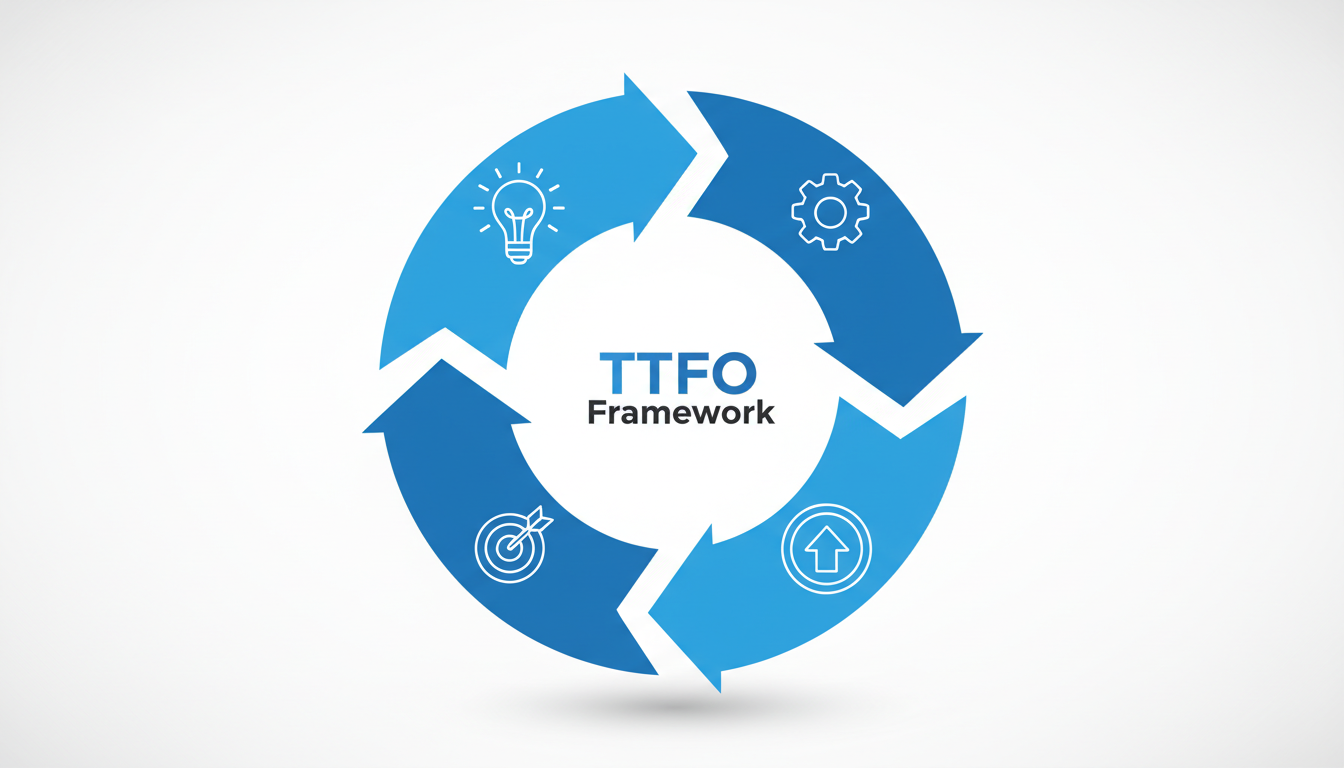
When you're scrambling to launch a new project, “Time-to-First-Option” (TTFO) becomes your secret weapon to get a logo fast. Instead of treating logo design as a creative endeavor, think of it as a time-critical operation where your main goal is to minimize the time from concept to your first viable logo option. Let’s dive into how this works.
What is TTFO and Why It Matters
TTFO, or Time-to-First-Option, measures how quickly you can get your first draft of a logo from an idea. It’s a pivotal metric for founders under pressure because it helps shift the focus from perfect designs to actionable outputs. In other words, it's not about crafting the Mona Lisa of logos; it's about getting a solid, functional design that you can refine later.
Key Components of TTFO
To effectively manage TTFO, you need to streamline three crucial components: inputs, iterations, and approvals.
Inputs: Your prep work. Gather everything needed to generate initial options, such as your brand name, industry, and a short description. Simplifying your input can significantly reduce TTFO. For instance, tools like Quicklogo can take a simple business description and generate multiple options in seconds.
Iterations: This refers to how many times you revise or iterate on the logo options. AI logo generators considerably cut down on iterations by providing multiple solid choices upfront. They have been shown to reduce logo design turnaround times by up to 50%. This is critical for speeding up the process—fewer iterations mean faster decisions.
Approvals: Streamlining who has the final say can greatly reduce delays. When you have a clear, quick pathway set for feedback and sign-off, it keeps the momentum going and prevents the dreaded decision fatigue.
How AI and Instant Logo Generators Transform TTFO
AI-powered tools like Quicklogo stand out as a beacon in the logo design world due to their efficiency. According to market data, AI logo makers are expected to show massive growth. This surge is largely driven by their capability to rapidly produce a variety of professional logo options, cutting down both time and cost.
This aligns perfectly with the expanding digital marketing and e-commerce sectors where quick-turnaround branding is key. With faster TTFO, you can align multiple stakeholders, get necessary approvals swiftly, and roll out branding assets across required channels in no time.
By focusing on optimizing TTFO, you're not just rushing through a branding task—you're strategically positioning your business to meet its immediate needs without sacrificing potential down the line. Whether using an AI logo generator, or even when going for more personalized design, understanding TTFO puts you in control of your branding timeline.
Quick Workflow Comparison: Pick Your Path
Choosing the right path to generate a logo fast can feel like a high-speed decision-making process. With the Time-to-First-Option (TTFO) framework, you can select a workflow that best fits your urgency and resources. Let’s break it down with a straightforward comparison.
| Workflow Option | TTFO Estimate | Best For |
|---|---|---|
| Quicklogo | 30 seconds | Immediate options, rapid iteration |
| Canva | 10 minutes | More detailed template selection |
| DIY with Templates | 1-2 hours | Customizing existing designs |
| Freelance Platforms | Same day | Personalized touch, mid-budget |
| Design Agency (Express) | 1-2 days | Professional needs, larger budget |
| Quick DIY Tools | 10-30 minutes | Quick fix with minor customization |
| Hiring a Designer | Weeks | Unique, handcrafted design |
Why Quicklogo is the Speed Baseline
When you need to generate a logo fast, Quicklogo shines as the speed-first solution. It’s perfect for urgent needs, like setting up a website, launching a campaign, or updating social profiles swiftly. The platform lets you provide a brief description and, within seconds, multiple logo options appear, ready for customization.
Key Takeaway: With Quicklogo, speed is not just about fast generation; it’s about having multiple viable options instantly available for fine-tuning and immediate deployment.
Matching Workflows to Your Urgency
Each option suits different scenarios:
Use Quicklogo when you’re battling the clock and need instant results. Its AI-powered capabilities make it best for creating a strong shortlist quickly.
Canva is your go-to for slightly more time to craft, allowing you to delve into templates and tweak designs closely.
Opt for DIY with Templates when you want more control over design elements but can afford a few hours.
Quickly assessing your time, budget, and design needs with these options can turn the daunting task of logo creation into a seamless, efficient process.
1. Quicklogo — Fastest for Immediate Options
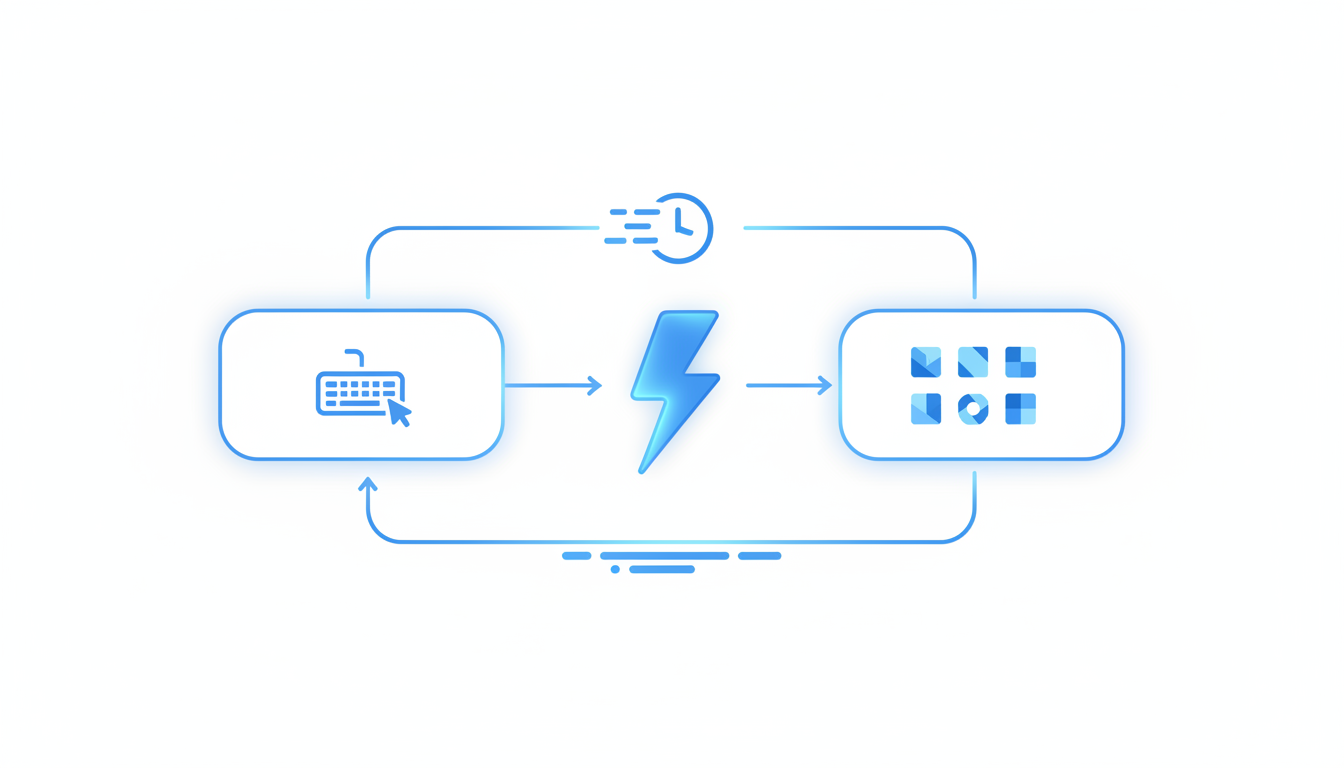
When time is of the essence and you need quality logo options quickly, Quicklogo is your go-to fast logo maker. This platform is designed for those urgent situations where you need to generate a logo in seconds, using AI to create professional-quality options that suit your business needs. Let's dive into how Quicklogo streamlines the logo creation process for fast results.
Time-Critical Workflow
The magic of Quicklogo lies in its ability to dramatically reduce your Time-to-First-Option (TTFO). Instead of spending hours ideating and sketching, Quicklogo employs advanced AI trained on thousands of professional logos to churn out multiple tailored options in mere seconds. This speed offers a serious advantage for founders and small business owners who need to iterate quickly.
Three-Step Process
Here's how Quicklogo gets you from zero to a finished logo fast:
Describe: Start by providing a concise description of what you're looking for. Input your brand name, industry, and any specific stylistic preferences into Quicklogo’s intuitive interface. The clearer your description, the more aligned your initial options will be with your vision.
Generate: Hit the generate button, and watch as Quicklogo’s AI delivers several logo variations almost instantly. These aren’t just random images—they’re professionally inspired designs tailored to your input. The platform is perfect for scenarios where exploration of different styles (wordmark, brand mark, or icon + wordmark) is needed without the wait.
Shortlist: Review the generated logos and use Quicklogo’s interface to shortlist your top contenders. If a design is close but needs a tweak, Quicklogo allows for customization, adjusting colors and elements to better align with your brand’s aesthetic.
Ideal For Urgent Needs
Quicklogo is particularly well-suited for entrepreneurs and small business owners launching new ventures, preparing pitch decks, or setting up e-commerce platforms where time is limited. The ability to rapidly iterate through designs ensures stakeholders can make quick decisions without sacrificing quality. Plus, with AI-driven tools cutting turnaround times by up to 50%, you can have a logo ready across multiple channels in no time.
Practical and Versatile
With Quicklogo, you’re not just getting speed; you’re gaining flexibility. It provides logo files in multiple formats, ensuring you have everything you need for web, print, and social media use. You retain full ownership of your generated logos, removing any anxiety about legal rights and allowing you to focus purely on brand development.
For anyone facing the high-pressure scenario of needing a logo today, Quicklogo offers a streamlined and secure process that minimizes decision fatigue and quickly gets you to a confident shortlist.
2. Template Suites: Rapid Customization
When you're on a tight schedule but still need a logo that shines, Template Suites can be your go-to, especially if you're already familiar with tools like Canva. These suites offer a time-efficient process by providing a wealth of ready-made designs that can be quickly tailored to your brand's needs—making it possible to achieve a professional-looking logo within about ten minutes.
Why Choose Template Suites?
The key to their speed is pre-designed templates—layouts that professionals have crafted, waiting for your personal touch. You don't start from scratch, which reduces your design time significantly. For those already comfortable with platforms such as Canva, the workflow involves selecting a template and adding your brand elements to customize the look.
Steps to Creating a Logo in Minutes
Browse Template Libraries: Begin by exploring a diverse collection of templates. Canva, for instance, offers a plethora of styles—from minimalist to vibrant.
Select and Customize: Choose a template that aligns with your brand's aesthetic. Customization is straightforward: replace text with your business name, swap in your brand colors, and tweak fonts as needed. These changes are intuitive and require only a basic familiarity with design tools.
Add Visual Elements: Incorporate your brand's unique elements such as icons or additional graphics to make the logo distinctly yours. Many template suites offer integrated libraries of elements you can use.
Export and Deploy: Once satisfied, export your logo in various formats. Canva, for instance, supports both raster and vector formats, ensuring your logo looks sharp across all channels.
Best for Quick Customization
Template suites are ideal for those with a bit more time and a slight design inclination. They provide the flexibility to create a range of logo variations with ease, without the learning curve often associated with starting from scratch.
Pro Tip: Familiarity with the design tool you're using can cut down the time further, transitioning from template selection to finished logo with minimal friction.
In the fast-paced world of digital marketing and e-commerce, where demand for quick-turnaround branding solutions is high, leveraging these powerful suites can be a game-changer. With logos ready in minutes, you’re well on your way to launching a cohesive and professional brand identity.
3. Freelance Platforms: Human Touch in a Day
When the pressure is on and you need a logo that’s a bit more personal, freelance platforms can be a savior. While not as instant as AI tools like Quicklogo, working with a freelancer offers customization and creativity that machines can struggle to replicate.
Time and Cost Insights
Engaging a freelancer typically lands you a more personalized design in around a day, depending on the complexity of your project and the designer’s availability. Costs can vary widely based on the freelancer’s experience and location.
Best for Detailed Customization
Freelance designers excel when you have specific ideas or a complex brand story to tell. By providing a clear logo brief, detailing preferred styles like icon + wordmark combinations, you allow the designer to understand and execute your vision. This personal touch is invaluable when launching a brand that stands out.
"Freelance platforms enable customized results that truly reflect your brand’s identity," notes industry experts.
Comparison Table for Freelance Platforms
Here's a quick look at popular freelance platforms to help you choose the right one for custom logo design:
| Platform | Time to First Option | Cost Range | Best For |
|---|---|---|---|
| Fiverr | ~1 day | $50+ | Budget-friendly, quick options |
| Upwork | ~1-2 days | $100-$300 | Experienced, diverse designers |
| Freelancer.com | ~1-3 days | $75-$250 | Project bids, more selection |
Steps to Maximize Results
- Create a Clear Logo Brief: Outline your brand’s mission, values, and design preferences.
- Select a Freelancer: Use the platform’s ratings and reviews to find someone with a style that resonates with you.
- Communicate Effectively: Maintain open communication and provide feedback promptly to ensure quick iterations.
- Review and Refine: Once you receive the first draft, offer constructive feedback to fine-tune the design.
Watch-outs
- Time Zones: Be aware of potential time zone differences that could impact communication and deadlines.
- Revisions: Clarify the number of revisions included in the initial fee to avoid unexpected costs.
While it may take a bit longer than using a fast logo maker, the depth of customization and personal touch you get from a freelancer can be worth the wait for some projects. Ultimately, the choice between speed and personalization depends on your immediate needs and branding goals.
4. DIY Software: In-depth Control
When you have a bit more time on your hands and crave hands-on control, DIY logo software might be your go-to. Unlike the rapid, automated approach of fast logo makers like Quicklogo, these tools allow you to dig into every detail of your design. Customization is the keyword here, offering you extensive capabilities to craft a logo that's uniquely yours.
Why Choose DIY Software?
While not as speedy as AI-driven solutions, DIY software provides you with the opportunity to play designer. Perfect for those who want more than just a quick-fix, these tools let you tweak and tailor every element — from color schemes to typography and everything in between. The trade-off? It can be more time-intensive, often taking up to a few hours for completion.
Tools and Features
Some popular DIY tools include Canva and Adobe Spark, which you'll find as easy-to-use platforms offering a range of functionalities right at your fingertips. Here's a quick walkthrough of features you might encounter:
Templates and Themes: Begin with a template that aligns with your vision or start from scratch for full creative freedom.
Drag-and-Drop Interface: Easily manipulate elements with intuitive controls — no design degree required.
Extensive Font Libraries: Customize your wordmark using a vast selection of fonts to match your brand's voice.
Color Pickers and Palette Creation: Play with colors to ensure your logo captures the desired emotion and energy.
Element Customization: Modify size, shape, and layout, giving you the freedom to create intricate designs.
Best for:
DIY software shines when detailed customization and creative control are your priorities. It's ideal if you're familiar with design basics or enjoy the creative process itself. These tools are also excellent if you're collaborating with a team and need to iterate on multiple versions before finalizing your choice.
Watch-Outs:
Time Investment: Expect to spend more time than you would with a fast logo maker. If you're on a tight schedule, this might not be the best path.
Decision Fatigue: With countless options, it can be overwhelming. Having a clear vision before starting can help streamline the process.
Ultimately, if you have the time and want to create something deeply personal, DIY software offers a satisfying path to a truly customized logo. However, for those under tight deadlines, consider blending DIY exploration with the speed of AI generators to meet your branding needs swiftly.
5. Hybrid Approach: Tools + Human Review
Achieving Balance: When time is crucial, but you still want a touch of human oversight, a hybrid approach combining AI tools with designer review could be the sweet spot. This method leverages the rapid capabilities of a fast logo maker like Quicklogo to generate initial options, while integrating human expertise for final validation.
Why It Works: Start by using Quicklogo for its incredible speed in generating multiple professional logo options. With its AI designed to produce results based on advanced machine-learning models trained on thousands of professional logos, you can quickly prepare a shortlist. This approach significantly reduces what we call Time-to-First-Option (TTFO), providing options in seconds.
Steps for a Smooth Operation:
Generate Options: Use Quicklogo to create a variety of logo concepts. Its AI will present different styles, from wordmarks to icon + wordmark combinations, in seconds.
Shortlist for Review: Choose a few promising designs for further evaluation based on your brand criteria.
Human Touch: Pass these selected options to a designer (this could even be a knowledgeable team member). Their role is to adjust finer details or provide qualitative feedback, ensuring the logo encapsulates your brand's essence.
Finalize Designs: After feedback, make minor edits—like altering colors or refining lines—using Quicklogo’s customization options or get guidance from the designer.
Watch-outs: Be mindful of time spent in the human review phase to maintain a balanced workflow. It's easy to get caught up in endless revisions, but remember, the goal is to ship fast. Also, ensure you have immediate access to the necessary file formats, including vector vs raster, and consider a transparent background logo for flexibility across different platforms.
Expert Insight: "Hybrid approaches with a thoughtful balance between AI-generated speed and human insight often capture the best of both worlds, providing quick solutions without compromising on quality."
According to industry trends, this collaborative approach is increasingly embraced, reflecting the 25% annual increase in AI adoption within the design sector. By combining AI efficiency with human refinement, you can ensure a polished brand mark that meets tight deadlines and professional standards.
6. Agency Solutions: Premium Timelines
When the stakes are high and your brand identity needs a thorough touch, professional agencies come into play. These agencies aren't just about creating a logo; they provide a comprehensive branding service that crafts your identity from the ground up.
Time Investment and Process
Agencies engage in an elaborate, collaborative process that typically starts with a deep dive into your brand’s ethos. They conduct exhaustive research and hold strategy sessions to understand your market position and customer base. From there, they move on to crafting initial concepts.
The journey from concept to launch involves multiple iterations and feedback loops. While this approach is less about speed and more focused on depth, it ensures that every minute detail aligns with your long-term vision. This can stretch over weeks or even months, yet provides a tailored output that fits like a glove across all touchpoints, from brand marks to logo files for social media.
Strategic Fit
Choosing an agency makes sense when your brand strategy is mature and the focus is on sustainability over time. This route suits those looking to integrate their logo seamlessly with comprehensive brand guidelines and multimedia assets.
Expert Insight: “While agencies may take longer, they offer insights that go beyond design—deep brand strategy integration is their forte.”
Best Practices and Pitfalls
To make the most of an agency’s expertise, come prepared with a clear vision and expectations. Provide a comprehensive logo brief or logo prompt to guide the creative process effectively. Be aware: longer timelines can lead to decision fatigue and increased costs.
Conclusion
If your business can afford both the time and budget, agencies can deliver unparalleled attention to detail and strategic alignment. However, for those constrained by deadlines, platforms like Quicklogo offer instant solutions. Venture into agency partnerships when the brand stakes are long-term and multifaceted.
7. Rapid Iteration: Continuous Improvement
In the ever-evolving brand landscape, rapid iteration of your logo can be a game-changer. This approach isn't just about getting a logo quickly; it's about continuously refining your brand identity over time. For startups and small businesses, this means integrating fast logo options, like those offered by Quicklogo's AI-powered generation, with a long-term vision for brand evolution.
Picture this: you’ve launched with an initial logo using a fast logo maker, like Quicklogo, and you're gaining traction. Now, it's time to refine and evolve, adapting to feedback and market changes. With Quicklogo's customization tools, you take that initial design and tweak it—adjusting colors, refining shapes, or incorporating new elements that resonate more with your audience. This iterative process ensures your logo grows alongside your brand, maintaining relevance and appeal.
Key Benefits
Flexibility: Start with a basic logomark, like those generated in seconds, and improve as your vision sharpens.
Cost-Effectiveness: Avoid the steep fees of constant redesigns by leveraging continuous improvements.
Alignment with Growth: As you gather more insights from your market, your logo can adapt without needing a complete overhaul.
"Continuous iteration allows startups to not only keep their branding fresh but also to test different variations of their logo to see which resonates best with their audience."
To facilitate this ongoing process, consider the following approach:
| Step | Action | Outcome |
|---|---|---|
| Generate | Use Quicklogo to create multiple options in seconds. | Have a range of styles to brainstorm with. |
| Shortlist | Select promising designs for customization. | Focus on top contenders with potential. |
| Customize | Refine colors and elements to align with vision. | Tailor a logo that fits your evolving brand. |
| Iterate | Implement feedback and moderate changes over time. | Keep your logo fresh and aligned with market shifts. |
By embracing rapid iteration, businesses can maintain a competitive edge without sacrificing the quality or consistency of their brand identity. Remember, a logo should be as dynamic as your business journey—a powerful tool that evolves and grows, just like you do.
How to Shortlist a Logo in 10 Minutes
Time is of the essence, especially when you're in the middle of a bustling launch. But you don't have to sacrifice quality even when you're pressed for time. Let's dive into how you can quickly curate a logo shortlist using the Time-to-First-Option (TTFO) framework.
Step-by-Step Rubric for Quick Selection
1. Define Key Criteria
Start by outlining the absolute must-haves for your logo. These could include brand colors, a certain style, or a specific type of icon. Remember, focus on practicality over perfection—emphasize what’s crucial for immediate deployment across your primary channels.
2. Generate Multiple Options
Using a tool like Quicklogo, generate several logo possibilities in seconds. Quicklogo streamlines this process by leveraging AI trained on thousands of professional logos to present you with multiple, on-brief options right away. This rapid iteration cuts turnaround by up to 50%, keeping you ahead of time constraints.
3. Apply the “Good Enough to Ship” Bar
For each option, apply a simple rubric:
Usability: Does the logo work well in monochrome as well as in color? Can it resize cleanly for both web headers and social media avatars?
Clarity: Is it immediately understandable at a glance? Logos should communicate your brand essence swiftly to avoid confusion.
Versatility: Ensure it’s adaptable across various channels from your website favicon to app icons and print media.
Prioritize Practicality Over Perfection
In urgent scenarios, aim for a logo that's “good enough to ship” rather than a masterwork of design. The goal is not to win design awards but to establish a coherent brand presence swiftly. With the rapid expansion of AI logo generators, speed doesn't mean sloppiness; rather, it's about tailored precision.
Avoid Decision Fatigue
Narrow down your choices by involving only essential stakeholders in the final decision-making process. Quick turnaround branding solutions are in high demand due to booming e-commerce, and focusing on a sharp, effective shortlist allows you to maintain momentum.
Common Pitfalls and Fast Fixes
Over-customization: Resist the urge to over-customize at this stage. Start with a strong template and save finer details for later revisions.
Ignoring Versatility: Ensure your chosen logo works in multiple digital and print formats, which Quicklogo provides, guaranteeing flexibility.
Many startups find that prioritizing core functionality, as opposed to endless tweaks, accelerates their brand establishment.
By using these focused steps, you master the art of choosing effectively, ensuring your branding is ready to deploy across all channels without a hitch. For an all-encompassing speed-first experience, check out Quicklogo and harness the agility it offers in your logo creation endeavors.
FAQs About Fast Logo Making
Navigating the world of fast logo creation can be a breeze with a little guidance. Let’s dive into some of the most frequently asked questions about the process.
What are the key formats for logo use?
When creating a logo, having it in the right formats ensures versatility across platforms. Key formats include:
Vector files (e.g., SVG, EPS): These are essential for scaling your logo without losing quality, making them ideal for print and large displays.
Raster files (e.g., PNG, JPEG): These are useful for web purposes, with PNGs offering a transparent background for flexible use on different colored backgrounds.
PDF files: Handy for sharing with stakeholders or using directly in print.
Quicklogo offers multi-format file delivery ensuring your logo is ready for any application you need.
How do AI tools ensure uniqueness?
AI logo makers like Quicklogo are trained on extensive databases of professional logos, enabling them to create unique designs tailored to your specific inputs. Uniqueness is ensured by:
Prompt Customization: You input your brand details, and the AI generates logos based on a unique combination of elements tailored specifically to your brand.
Endless Iterations: AI can generate numerous variations quickly, ensuring you find a logo that really stands out from what's commonly seen.
This approach not only saves time but also helps avoid unintentionally replicating existing designs.
How fast can I expect a logo from Quicklogo?
With Quicklogo, speed is the name of the game. This platform excels at minimizing time-to-first-option (TTFO) by generating multiple logo options in mere seconds. Here's how it works:
Describe Your Needs: Input a brief description of your business and brand style.
Instant Generation: Quicklogo’s AI rapidly produces several options for you to shortlist.
Immediate Customization: Once you’ve chosen a direction, make any necessary tweaks quickly within the platform.
In today's fast-paced digital environment, Quicklogo is your go-to solution for getting a professional logo as quickly as you can imagine it, making it perfect for urgent launches or last-minute branding needs.
Key takeaway: Leveraging AI tools like Quicklogo means not just fast delivery, but also professional quality and unique designs that are ready for multi-channel deployment.
Frequently Asked Questions
What formats are best for a logo?
Vector formats like SVG ensure scalability without loss of quality.
How do AI tools ensure uniqueness?
AI tools use vast design databases to generate unique combinations.
How fast can I expect a logo from Quicklogo?
Quicklogo generates multiple options in seconds, ideal for urgent needs.
Is it possible to customize AI-generated logos?
Yes, most platforms, including Quicklogo, offer customization features.
What are the ownership rights for logos created with AI?
Most tools grant full ownership to the user for their generated logos.
Final Thoughts
In the fast-paced world of branding, getting a logo ready in record time can set you apart. Here’s a quick recap:
- Start with AI: Use tools like Quicklogo for rapid logo generation.
- Reduce Iterations: Focus on generating multiple options, not one perfect concept.
- Streamline Approvals: Simplify the decision-making process with fewer stakeholders.
- Customize Efficiently: Take advantage of customization features to refine your favorite designs to match your brand.
- Choose Format Wisely: Ensure you receive the final logo in multiple formats for cross-channel compatibility.
Choose Your Next Step
- Need Speed? Head straight for Quicklogo’s fast generation feature.
- Desire Customization? Tweak and tailor until it fits your vision.
- Looking for Comparison? Generate several logos to evaluate different styles quickly.
30-Minute Checklist
- Define your brand’s core message.
- Use Quicklogo to create logo options.
- Compare and select the best fit.
- Make necessary customizations.
- Save in desired formats.
Ready to take the next step? Try Quicklogo and transform your concept into a striking brand emblem in seconds. Remember, speed in logo creation comes from minimizing input and iterations, not obsessing over a singular design.
Back to all posts